The garage is no longer just a place to park your car or store your tools. In 2026, the modern garage is a fully connected, intelligent space equipped with smart openers, security cameras, automated lighting, EV charging stations, and remote access systems that can be controlled from anywhere in the world with a smartphone.
Whether you are looking to upgrade an aging garage door opener, add smart home integration, enhance security, or prepare your garage for an electric vehicle, this comprehensive guide covers every smart garage technology available today — along with practical advice on what to buy, how to install it, and what it will actually do for your daily life.
Why Smart Garage Technology Makes Sense in 2026
Smart home technology has matured significantly over the past decade. Products that were buggy, expensive, and difficult to install in 2016 are now reliable, affordable, and DIY-friendly. The garage is an ideal starting point for smart home upgrades because the benefits are immediate and tangible:
- Never wonder again whether you closed the garage door when you left
- Let in delivery drivers, service technicians, or family members without being home
- Receive instant alerts when your garage door opens unexpectedly
- Automate lighting so the garage is always lit when you need it and dark when you do not
- Monitor your garage from anywhere via security cameras
- Integrate garage access with your broader smart home ecosystem
The return on investment is not just financial. The peace of mind from knowing your garage — and by extension, your home — is secured and monitored is one of the most underappreciated benefits of modern smart garage tech.
Is Your Garage Ready for Smart Tech? A 5-Question Readiness Check
Before spending a dollar on equipment, answer these five questions to identify which upgrades will deliver the most value for your specific situation:
| Question | If Yes → Priority Upgrade |
|---|---|
| Do you frequently leave wondering if you closed the door? | Smart garage door opener |
| Do you have or plan to buy an electric vehicle? | Level 2 EV charger |
| Has your garage ever been broken into or targeted? | Security camera + smart lock |
| Do you use your garage as a workshop or living space? | Smart climate control + lighting |
| Do you have multiple family members needing access? | Multi-code system + shared app access |
Answering these questions first prevents the common mistake of buying the flashiest gadget instead of the most useful one.
Smart Garage Door Openers: The Foundation of a Smart Garage
What Makes a Garage Door Opener “Smart”?
A smart garage door opener connects to your home Wi-Fi network and allows you to control and monitor your garage door remotely via a smartphone app. Key features to look for include:
- Remote open/close from anywhere via smartphone app
- Real-time status monitoring — know instantly if the door is open or closed
- Activity history — see a log of every time the door opens and closes
- Smart alerts — receive notifications when the door opens, closes, or has been left open too long
- Voice control integration with Amazon Alexa, Google Assistant, or Apple HomeKit
- Scheduled closing — automatically close the door at a set time if left open
- Shared access — grant temporary or permanent remote access to family members
Chamberlain myQ: The Industry Leader
Chamberlain’s myQ ecosystem is the most widely adopted smart garage platform in North America. The myQ app allows real-time monitoring and control of any myQ-compatible garage door opener. Key advantages include:
- Seamless integration with Amazon Key for In-Garage Delivery
- Compatibility with Google Assistant and Apple HomeKit
- Free basic app with optional premium subscription for advanced features
- Wide compatibility with existing Chamberlain and LiftMaster openers
If you already own a Chamberlain or LiftMaster opener manufactured after 2011, you may be able to add myQ functionality without replacing the entire unit. If you need step-by-step setup help, our Chamberlain garage door opener programming guide walks through the full process.
Choosing the Right Smart Opener: Platform Selection Guide
Not all smart openers work the same way or fit every household’s needs. Use this guide to match your situation to the right platform:
| Your Primary Need | Best Platform | Why |
|---|---|---|
| Amazon ecosystem user | Chamberlain myQ | Amazon Key In-Garage Delivery support |
| Apple HomeKit household | Meross or myQ HomeKit bridge | Native HomeKit automation |
| Google Home user | Chamberlain myQ or Nexx | Google Assistant voice control |
| Multiple garage doors | Multi-code universal system | Single app, multiple doors |
| Rental property / temporary access | Tailwind iQ3 | Guest access with time limits |
| Detached garage, weak Wi-Fi | Tailwind iQ3 | Stronger range, offline fallback |
For households managing multiple doors or complex access scenarios, programming a multi-code garage door opener gives you centralized control without multiple apps or remotes.
Smart Garage Security Systems
Security Cameras: What to Look For in 2026
A garage security camera serves multiple purposes: it deters opportunistic theft, documents any unauthorized access, and lets you monitor your garage remotely. In 2026, a good garage camera should offer:
- 1080p minimum (4K preferred for license plate capture)
- Night vision capability with color night vision where possible
- Motion-triggered recording and customizable alert zones
- Two-way audio for communicating with delivery drivers
- Local or cloud storage options (local preferred for privacy)
- Integration with other smart home security devices
Top picks for 2026:
- Wyze Cam v4 — budget-friendly, solid 2K resolution, local storage support
- Arlo Pro 5 — premium 4K, color night vision, excellent app
- Eufy SoloCam — no monthly fee, onboard storage, strong privacy focus
Smart Locks for Interior Garage Doors
The door between your garage and your home interior is a critical and frequently overlooked security point. A smart lock on this door provides:
- Keyless entry via code, fingerprint, or smartphone
- An access log showing who entered and when
- Integration with your smart home for automation (e.g., lock automatically when garage door closes at night)
Garage Door Code Security
One of the most neglected security habits is regularly updating your garage door access code. A compromised code gives anyone the equivalent of a key to your home — and older rolling-code remotes are more vulnerable than homeowners realize. Modern openers make code changes simple. Our step-by-step guide to changing your garage door code walks through the process for all major brands.
Smart Lighting Solutions
5 Smart Lighting Types for Your Garage
Each lighting type serves a specific purpose. Here is what to consider for each zone of your garage:
1. Motion-Activated Ceiling Lights The most practical entry-level upgrade. Eliminates fumbling for switches in the dark. Look for 2,000+ lumens with adjustable motion sensitivity. Smart versions can be scheduled and dimmed via app.
2. Smart LED Bulb Replacements Drop-in replacements for existing fixtures. Connect to your smart home hub for voice control, schedules, and automation. Best for garages with existing ceiling fixtures in good condition.
3. Under-Cabinet LED Strip Lights Installed under wall-mounted cabinets or shelving, these dramatically improve workbench visibility. Smart strips can be dimmed, colored, and scheduled. Essential for workshop garages.
4. Perimeter Safety Lighting Motion-triggered lights along the garage perimeter (exterior) deter nighttime intrusion and improve visibility when arriving home after dark.
5. Color-Tunable Work Lights For serious workshop users, color-tunable LED panels let you dial in daylight-balanced white light (5,000-6,500K) for accurate color work or warm light for ambient use.
Electric Vehicle Charging: Preparing Your Garage for the Future
Level 2 Home EV Chargers
If you own or plan to own an electric vehicle, installing a Level 2 home EV charger is one of the highest-ROI garage upgrades available. Level 2 chargers (240V) charge most EVs five to seven times faster than a standard 120V outlet. A typical EV can be fully charged overnight.
Installation requires a licensed electrician to run a dedicated 240V circuit. Hardware costs range from $400 to $1,000 for residential units from brands like ChargePoint, JuiceBox, and Emporia. Many utilities offer rebates that can offset 30–50% of installation costs.
Smart EV Chargers: Features That Matter
Smart EV chargers add Wi-Fi connectivity and allow you to:
- Monitor charging status remotely
- Set charging schedules to use off-peak electricity rates (saving $300–$800/year depending on your utility)
- Track energy usage and monthly charging costs
- Receive notifications when charging is complete
- Integrate with home energy management systems
EV Charger Comparison: Key Features by Brand
| Brand | Max Power | Smart Features | Price Range |
|---|---|---|---|
| ChargePoint Home Flex | 50A / 12kW | App, scheduling, energy tracking | $699–$799 |
| JuiceBox 48 | 48A / 11.5kW | App, utility integration, Amazon Alexa | $599–$699 |
| Emporia EV24 | 48A / 11.5kW | App, solar integration, energy monitoring | $399–$499 |
| Tesla Wall Connector | 48A / 11.5kW | Native Tesla app, Wi-Fi, load balancing | $350–$450 |
Smart Garage Climate Control
Step One: Seal Before You Spend
Before investing in any climate control technology, ensure your garage is properly sealed and insulated. Gaps around the garage door are the single largest source of heat loss, drafts, and pest entry. Addressing these gaps costs almost nothing compared to running a heater or AC in a leaky space.
Common sealing issues and their fixes:
- Gap on one side of garage door — usually caused by misaligned tracks or worn weatherstripping
- Bottom seal worn or missing — the most common source of drafts, water intrusion, and pests
Both issues are straightforward DIY fixes that take less than an hour.
Smart Thermostats for Attached Garages
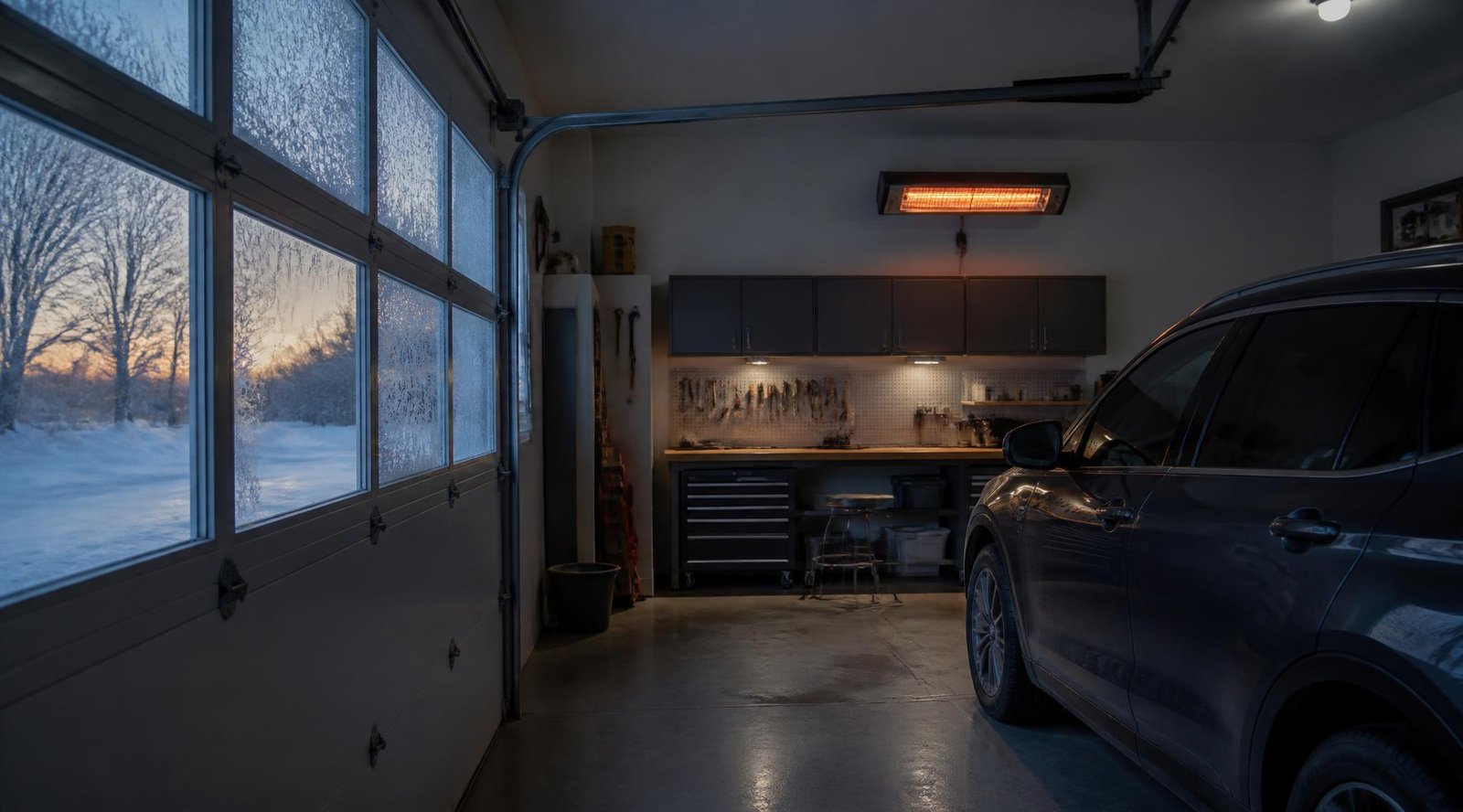
For attached garages used as workshops or finished living spaces, a smart thermostat controlling a dedicated garage HVAC unit maintains comfortable temperatures automatically. Options include:
- Mini-split systems with smart thermostats (most efficient, quiet, no ductwork needed)
- Garage-specific heaters (propane or electric) with smart outlet control
- Portable smart AC units for cooling-only needs in warmer climates
Garage Monitoring and Automation
Smart Home Hub Integration
The most powerful smart garages are fully integrated into a broader ecosystem. Through Amazon Alexa, Google Home, or Apple HomeKit, you can create automations like:
- When you arrive home → garage door opens and lights turn on automatically
- When garage door closes at night → interior notification confirms house is secure
- When EV charging completes → smartphone notification sent
- If garage door open for more than 30 minutes → automatic close trigger
Smart Plugs and Power Monitoring
Smart plugs installed on garage outlets give you remote control and scheduling of any connected device — air compressors, battery chargers, space heaters, and more. Energy monitoring plugs show exactly how much power your equipment consumes, helping identify energy hogs and reduce idle power waste.
Brand Building Timeline for Your Smart Garage Upgrade
Upgrading your garage all at once is rarely practical or necessary. Here is a realistic month-by-month approach:
| Timeline | Upgrade | Approximate Cost |
|---|---|---|
| Week 1 | Smart garage door opener (or add-on controller) | $50–$300 |
| Month 1 | Security camera + motion lights | $100–$300 |
| Month 2 | Smart lock on interior door + code update routine | $150–$250 |
| Month 3 | Smart lighting (strips + smart bulbs) | $100–$300 |
| Month 6 | EV charger (if applicable) | $500–$1,200 installed |
| Month 12 | Climate control + full smart home integration | $300–$1,500 |
Installation: DIY vs. Professional
What You Can DIY
Most smart garage devices are designed for DIY installation:
- Smart garage door openers and add-on controllers
- Security cameras (battery-powered or plug-in)
- Smart plugs, smart bulbs, LED strips
- Smart locks on existing door prep
- Motion-sensor lights (plug-in or battery)
When to Hire a Professional
Always use a licensed electrician for:
- Dedicated 240V circuits for EV chargers
- Hardwired security cameras requiring new wiring runs
- Upgraded electrical panels or subpanels
- Any work inside your main electrical panel
Wi-Fi Coverage: Don’t Overlook This
Smart devices are only as reliable as your Wi-Fi signal. Many garages — especially detached or those with concrete walls — suffer from weak signal. Before installing smart devices, test signal strength in your garage with your phone. If signal is weak, install a Wi-Fi extender or add a mesh network node near the garage.
Common Smart Garage Mistakes to Avoid
1. Buying incompatible platforms Not all smart home devices work with all hubs. Check compatibility with your existing ecosystem (Alexa, Google Home, or HomeKit) before purchasing.
2. Skipping Wi-Fi assessment Installing smart devices before confirming strong Wi-Fi coverage leads to constant connectivity failures and frustration.
3. Ignoring the interior garage door Most homeowners focus on the main garage door and forget the interior door — which is often the easiest entry point into the home.
4. Cheap cameras with mandatory subscriptions Many budget cameras require paid cloud subscriptions to access recorded footage. Check total annual cost, not just purchase price.
5. No backup access plan Smart openers depend on Wi-Fi and power. Keep a physical keypad or traditional key backup for outages or connectivity failures.
6. Forgetting weathersealing before climate control Spending hundreds on a smart heater while the door has a one-inch gap along the bottom is money wasted. Seal first, then automate.
7. Setting it and forgetting code security Garage door codes should be changed every 6–12 months and immediately after giving temporary access to contractors or service technicians.
Budget Planning
Smart garage upgrades span a wide investment range. Here is a realistic breakdown:
| Level | Investment | What It Includes |
|---|---|---|
| Entry Level | $50–$200 | Smart add-on controller, smart bulb, smart plug |
| Mid Range | $200–$800 | New smart opener, security camera, motion lights, keypad |
| Advanced | $800–$2,000 | Full smart opener, camera system, smart lighting, EV charger |
| Premium | $2,000+ | Complete overhaul with professional installation |
Start with the upgrades that solve your most immediate pain points. A $100 smart opener add-on that stops your daily “did I close the garage door?” anxiety is worth more than a $500 camera system you never check.
Legal and Privacy Considerations
Camera Placement and Local Laws
Before installing exterior cameras, check local ordinances on recording public spaces. In most jurisdictions, cameras pointed at your own property and driveway are fully legal. Cameras that capture neighboring properties or public sidewalks may be subject to notification requirements.
Data Privacy with Cloud-Connected Devices
Smart devices that store footage in the cloud transmit data to manufacturer servers. For maximum privacy:
- Choose cameras with local storage options (microSD or NAS)
- Review manufacturer privacy policies before purchase
- Use devices from brands with strong security track records and regular firmware updates
Frequently Asked Questions
Q: I am not tech-savvy — can I really install these myself? Yes. The most popular smart garage products (Chamberlain myQ, Wyze cameras, smart plugs) are specifically designed for non-technical users. Most installs take 15–60 minutes with no special tools. Video walkthroughs are widely available for every major product.
Q: Will a smart opener work with my existing garage door? In most cases, yes. Add-on smart controllers like the myQ Smart Garage Control work with most garage door openers manufactured after 1993 that use standard safety sensors. Check your opener’s manufacturing date and compatibility before purchasing a full replacement.
Q: What happens when the Wi-Fi goes down? Most smart openers retain basic local functionality — wall-mounted buttons and physical remotes still work. You lose remote access and automation features until connectivity is restored. Keep a physical backup access method for outages.
Q: How much does a smart garage setup actually save on energy? A smart EV charger alone can save $300–$800 annually by shifting charging to off-peak hours. Smart lighting with motion activation reduces lighting energy use by 30–60% compared to always-on fixtures. Climate control savings vary significantly by climate and usage.
Q: Is my garage safe enough to store valuable items after these upgrades? Smart technology significantly raises the barrier to entry for opportunistic theft. However, a determined and experienced burglar can defeat most residential security measures. Use smart security as one layer of a broader strategy — good lighting, solid door hardware, visible cameras, and insurance are all part of a complete approach.
Conclusion
Smart garage technology in 2026 is mature, affordable, and genuinely useful. The ability to monitor, control, and secure your garage from anywhere is not a novelty — it is a practical quality-of-life improvement that meaningfully enhances your home’s security and daily convenience.
Start with a smart garage door opener if you have not already — it is the single upgrade that delivers the most immediate value. Then layer in security cameras, smart lighting, and eventually EV charging as your needs and budget allow. Each addition compounds the value of what came before, building toward a garage that works as intelligently as the rest of your home.