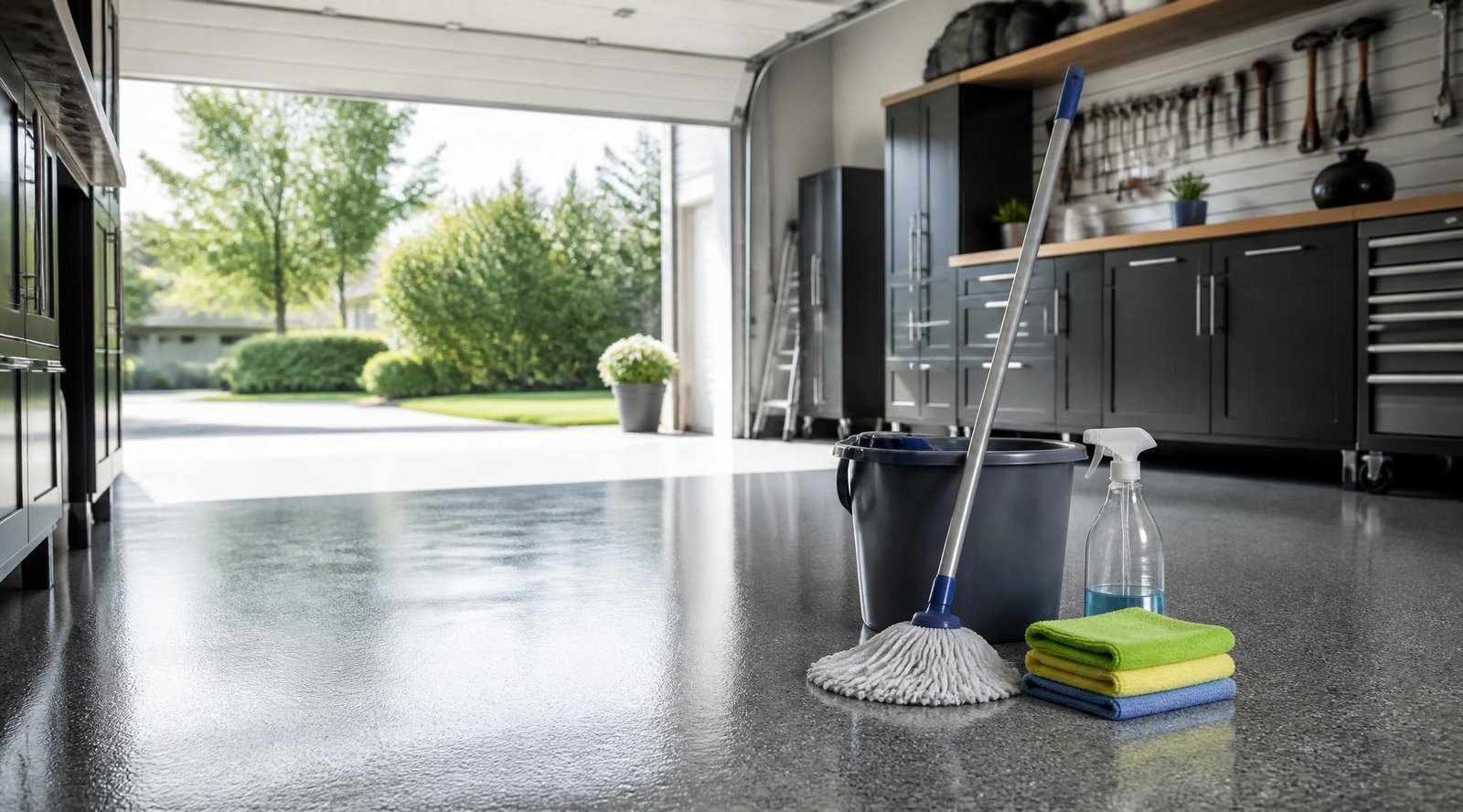
Garages are one of the most overlooked entry points into a home — they’re often less secured than a front door, and a door left open by accident is far more common than most homeowners want to admit. The good news is that closing this gap doesn’t require a full security system overhaul. A handful of specific, purchasable devices can cover monitoring, deterrence, and physical locking in a single afternoon of setup.
This guide covers five real, currently available garage security products worth buying, what each one actually does, and how they work together. For the fuller picture of protecting your garage as an entry point, our complete guide to garage door security covers strategy — this article covers the specific gear.
Quick Answer
The best garage security setup combines four functions: remote monitoring, visual deterrence, recorded evidence, and physical backup locking. For monitoring whether your door is actually open or closed, the Chamberlain myQ Smart Garage Control hub sends real-time alerts to your phone. For deterrence, a bright motion-activated flood light like the AWSENS 40W security light discourages anyone from lingering near your door after dark. For recorded evidence, a weatherproof camera like the Ring Outdoor Cam (Stick Up Cam) captures footage you can review or share. For a simpler, no-subscription monitoring option, the Brocel GarageDoorBuddy tells you if the door was left open without needing a smart hub. And for old-fashioned physical backup, a Prime-Line inside deadlock adds a manual lock that no hack or dead Wi-Fi router can bypass.
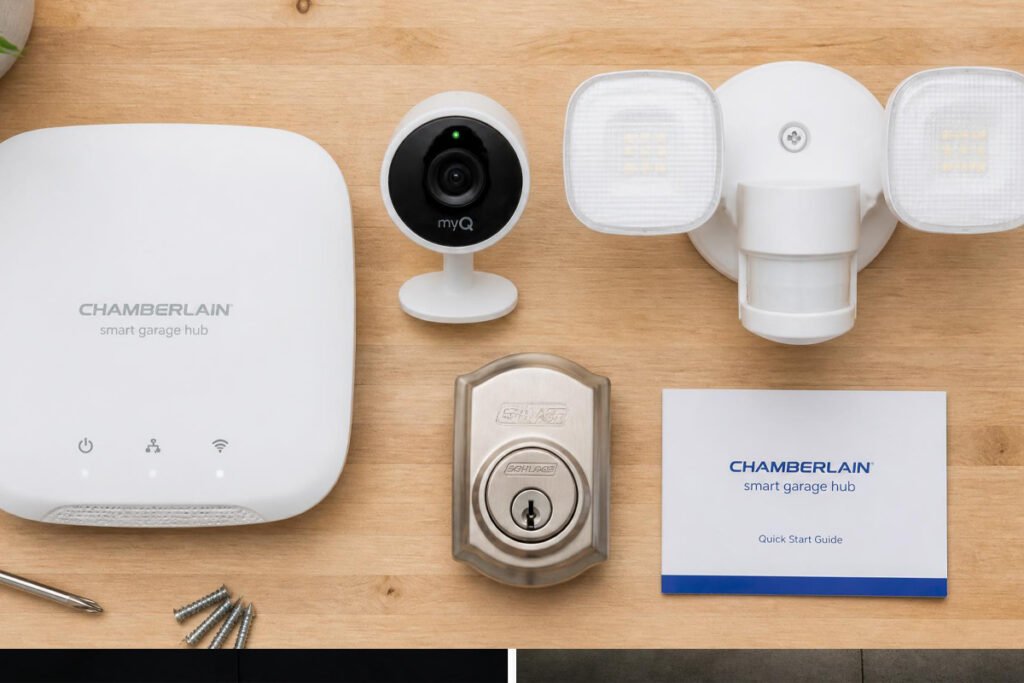
Table of Contents
- Why Garages Need Dedicated Security Devices
- How to Choose the Right Combination
- Best Garage Security Devices Available
- Comparison Table
- Best Devices for Different Garage Setups
- How to Set Up a Layered Garage Security System
- Common Mistakes
- Expert Tips
- Final Thoughts
- Frequently Asked Questions
Why Garages Need Dedicated Security Devices
A garage door is often the largest single entry point on a house, and it’s frequently connected directly to the interior through an unsecured door. Unlike a front door, it’s opened and closed dozens of times a week, which means far more opportunities for it to accidentally get left open, or for an aging opener to malfunction without anyone noticing.
Standard home security systems built around front-door sensors and window contacts often treat the garage as an afterthought. Purpose-built garage devices close that gap — they’re designed specifically around the failure modes unique to garage doors: doors left open, openers left unmonitored, and the interior door from garage to house being the weakest link security experts point to.
How to Choose the Right Combination
Before buying, ask yourself:
- Do I already have a smart garage door opener, or an older manual one? Hub-based devices like myQ require a compatible opener; standalone monitors like GarageDoorBuddy work independently of opener type.
- Do I want video, or just alerts? A camera gives you visual confirmation and recordable evidence; a monitor or sensor just tells you open/closed status, often with less complexity and no subscription.
- Am I comfortable with a monthly subscription for cloud video storage? Cameras like the Ring Outdoor Cam typically require a Ring Protect plan for extended video history, while a physical lock or basic sensor has no ongoing cost.
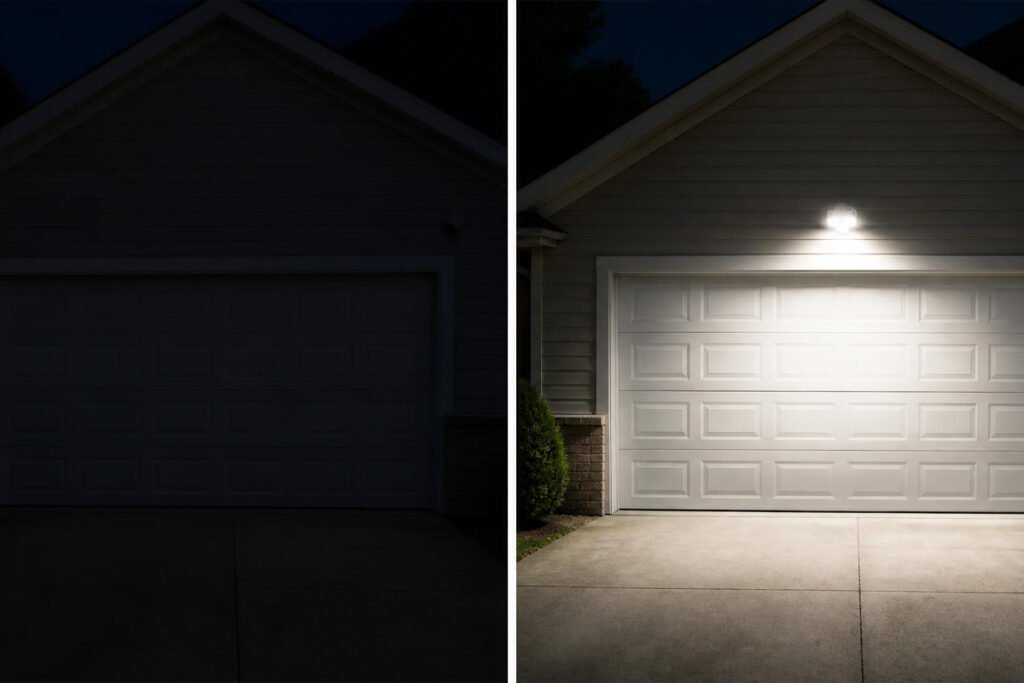
[IMAGE 3 — Before/After | Alt text: “garage door area before and after adding security devices and lighting”]
Best Garage Security Devices Available
1. Chamberlain myQ Smart Garage Control (Model myQ-G0401-ES)
Overview: This wireless hub retrofits onto most existing garage door openers made after 1993, adding remote monitoring and control through the myQ smartphone app. It’s the most direct fix for “did I leave the garage door open?” anxiety, sending a notification the moment the door’s status changes.
Key Features:
- Real-time open/close alerts sent to your phone
- Remote open/close control from anywhere with Wi-Fi
- Bluetooth-assisted setup for easier pairing
- Works with Chamberlain, LiftMaster, Craftsman, and most major opener brands
- Guest access lets you grant temporary control to up to three people
Best For: Anyone with a garage door opener from a major brand who wants remote status alerts and control.
Pros: ✅ Solves the “left it open” problem directly ✅ Works with most existing openers, no new opener required ✅ Simple app-based setup
Cons: ❌ Requires a compatible sectional door and safety sensors already installed ❌ Depends on home Wi-Fi and the myQ cloud service being online
Our Verdict: This is the single highest-value device on the list if you’ve ever driven away wondering whether you closed the door — it turns a nagging question into a checked notification. View on Amazon
2. AWSENS 40W LED Motion Sensor Security Light
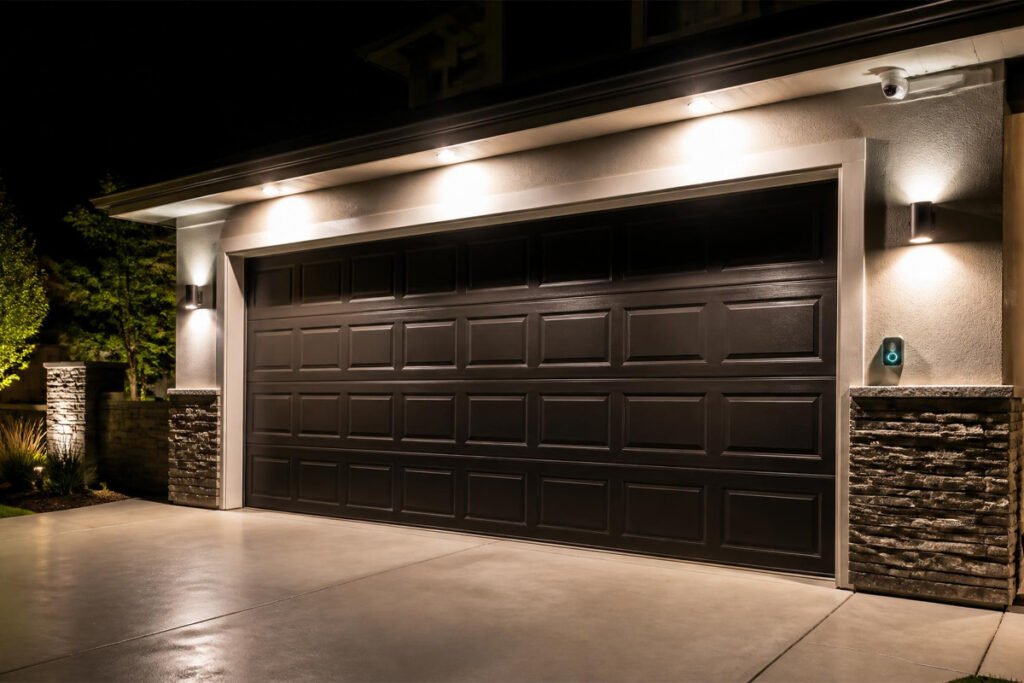
Overview: A bright, PIR motion-activated floodlight designed specifically for exterior security use. With roughly 4,000 lumens of output and a 70-foot, 180-degree detection range, it’s built to flood the area around a garage door the moment motion is detected, which is one of the simplest and most effective deterrents against loitering or attempted entry.
Key Features:
- ETL-certified, water-resistant aluminum housing rated for outdoor use
- Adjustable run time (1/5/10 minutes) after motion is detected
- Integrated dusk-to-dawn photocell for automatic nighttime activation
- Roughly 75% more energy-efficient than an equivalent halogen floodlight
Best For: Illuminating a garage door, driveway, or side entry to deter anyone approaching after dark.
Pros: ✅ Immediate, low-cost visual deterrence ✅ No subscription, hub, or app required ✅ Long-rated LED lifespan (up to 50,000 hours)
Cons: ❌ Requires hardwiring, not a plug-and-play battery unit ❌ Doesn’t record or alert you remotely on its own
Our Verdict: Research on burglar deterrents consistently ranks lighting among the most effective low-cost measures, and this is a straightforward, no-frills way to add it above or beside a garage door. View on Amazon
3. Ring Outdoor Cam (Stick Up Cam)
Overview: A weather-resistant, battery-powered camera built for flexible outdoor placement — including mounting beside or above a garage door. It offers Live View, Color Night Vision, and Two-Way Talk, letting you see and speak to anyone near your garage directly from the Ring app.
Key Features:
- Battery-powered with a removable, rechargeable battery pack
- Weather-resistant design rated for outdoor placement
- Live View and Two-Way Talk through the Ring app
- Works with Alexa for voice-based monitoring and alerts
- Flexible mounting: flat surface, wall bracket, or optional ceiling mount
Best For: Homeowners who want visual confirmation and recorded footage of activity near the garage, not just an alert.
Pros: ✅ Genuine two-way communication with anyone at the garage ✅ Battery-powered, so placement isn’t limited by outlet location ✅ Integrates with the wider Ring/Alexa ecosystem
Cons: ❌ Extended video history requires a paid Ring Protect subscription ❌ Battery needs periodic recharging depending on usage and motion frequency
Our Verdict: If your priority is being able to actually see and talk to whoever’s near your garage — a delivery driver, a neighbor, or someone you don’t recognize — this is the device that delivers that directly. View on Amazon
4. Brocel GarageDoorBuddy Monitor
Overview: A simpler alternative to a full smart hub, this device is built specifically to answer one question — is the garage door open or closed — and alert you if it’s left open, without requiring a smart home hub or complex setup.
Key Features:
- Real-time notifications when garage door status changes
- Monitors from anywhere with an internet connection
- Simple setup not tied to a specific opener brand
- Focused purely on monitoring, not remote control (by design)
Best For: Anyone who just wants a reliable “is it open or closed” alert without the added complexity or cost of a full smart-control hub.
Pros: ✅ Straightforward, single-purpose device that’s easy to set up ✅ Doesn’t require compatibility with a specific opener brand ✅ Lower complexity than a full remote-control hub
Cons: ❌ Monitoring only — it won’t let you close the door remotely ❌ Less brand recognition and ecosystem integration than Chamberlain myQ
Our Verdict: A good option if you specifically don’t want (or don’t need) remote control, and just want a dependable answer to “did I leave it open” without adding another connected hub to your home. View on Amazon
5. Prime-Line GD 52118 Inside Deadlock
Overview: A simple, heavy-duty manual deadlock that engages the garage door’s vertical track from the inside, adding a layer of physical security that doesn’t rely on Wi-Fi, batteries, or an app. It’s the backup that still works if the power’s out or the smart devices above it fail.
Key Features:
- Heavy-duty galvanized steel housing
- Engages the vertical track manually from inside the garage
- Straightforward installation with included hardware
- Works as an additional lock alongside the primary opener
Best For: Extra nighttime or vacation security, or as a physical backup to your electronic devices.
Pros: ✅ Zero dependency on power, Wi-Fi, or batteries ✅ Inexpensive and simple to install ✅ Adds real physical resistance beyond what an opener alone provides
Cons: ❌ Must be manually unlocked before using the automatic opener, or it can cause damage ❌ Doesn’t provide any monitoring or alerting on its own
Our Verdict: Smart devices are excellent for visibility and convenience, but this is the one item on the list that keeps working even if your Wi-Fi, app, or battery doesn’t — worth having as a low-cost backup layer. View on Amazon
Comparison Table
| Device | Function | Requires Subscription | Requires Hub/App | Approx. Price |
|---|---|---|---|---|
| Chamberlain myQ Smart Garage Control | Remote monitoring + control | No (core features) | Yes, myQ app | ~$30 |
| AWSENS 40W Motion Sensor Light | Visual deterrence | No | No | ~$20–$25 |
| Ring Outdoor Cam (Stick Up Cam) | Video monitoring + two-way talk | Yes, for extended history | Yes, Ring app | Varies by retailer |
| Brocel GarageDoorBuddy Monitor | Open/close alerting only | No | No hub required | Varies by retailer |
| Prime-Line GD 52118 Inside Deadlock | Physical backup lock | No | No | Under $15 |
Prices and availability change frequently — always confirm current pricing on the product page before purchasing.
Best Devices for Different Garage Setups
Homes With an Existing Smart Garage Opener
If your opener is already myQ-compatible or similar, adding the hub is the fastest win — it layers directly onto hardware you already own rather than requiring a replacement.
Detached or Older Garages Without Smart Openers
The Brocel GarageDoorBuddy and the AWSENS motion light are a strong combination here, since neither depends on opener brand compatibility — you get alerting and deterrence without needing to upgrade the door hardware itself.
Homes Prioritizing Visual Evidence
If your priority is being able to see and record who’s near the garage — useful for delivery disputes or unfamiliar visitors — the Ring Outdoor Cam is the device to prioritize, paired with the motion light so footage isn’t captured in darkness. For the interior side of the equation, our guide on garage organization ideas also covers keeping valuables out of clear view through windows.
How to Set Up a Layered Garage Security System
Step 1: Start With Monitoring
Install the Chamberlain myQ hub or GarageDoorBuddy first, so you immediately know your door’s real-time status.
Step 2: Add Deterrence
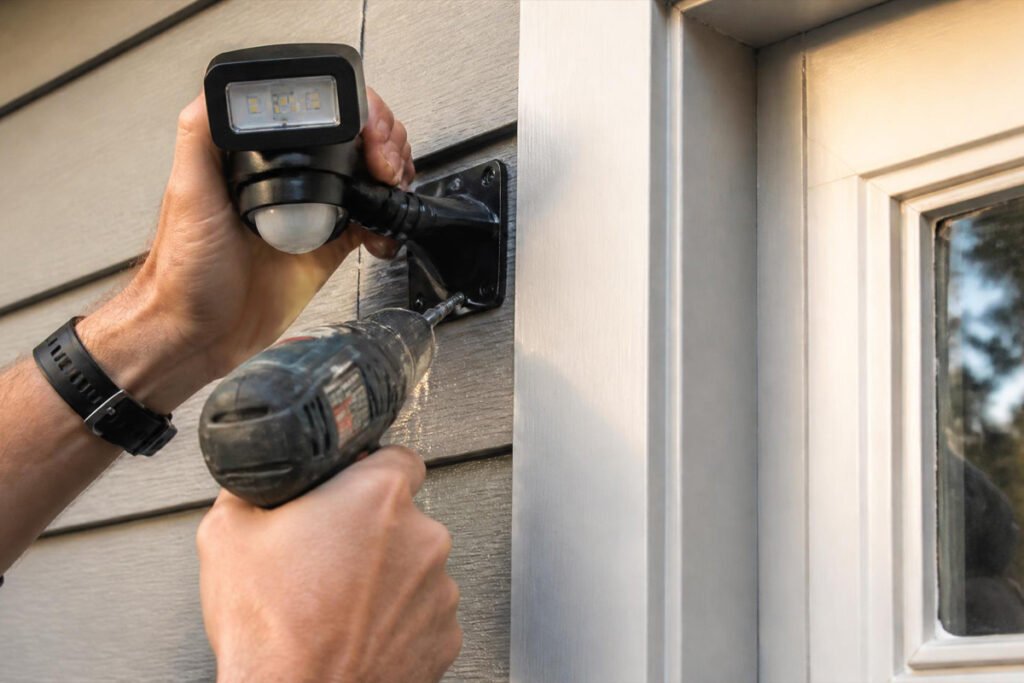
Mount the AWSENS motion sensor light near the door, positioned to cover the main approach path.
Step 3: Add Visual Confirmation
Place the Ring Outdoor Cam where it captures the door and the driveway approach, then connect it to Wi-Fi and the Ring app.
Step 4: Add a Physical Backup
Install the Prime-Line inside deadlock as a manual layer — remembering to disengage it before using the automatic opener.
Step 5: Test the Full System
Trigger each device once (open the door, walk past the motion sensor, check the camera feed) to confirm everything is reporting correctly before relying on it.
Common Mistakes
Relying on one device instead of layering them. A camera alone doesn’t stop someone from entering, and a lock alone doesn’t tell you if the door was left open — combining monitoring, deterrence, and physical locking covers far more scenarios than any single device.
Forgetting to disengage a manual deadlock before using the automatic opener. This is a common cause of damage to the opener motor or door track — always confirm the manual lock is released first.
Skipping the securing of the interior door between the garage and the house. Even a fully monitored and locked garage door doesn’t help if the door leading into the home itself isn’t secured — that door deserves the same attention as a front door.
Expert Tips
Test notifications immediately after setup. Don’t assume a monitoring device works until you’ve triggered it and confirmed the alert actually reaches your phone.
Position lighting to avoid blind spots, not just brightness. A single very bright light can still leave shadows near a doorway if it’s mounted at the wrong angle — aim for coverage of the actual approach path, not just raw lumens.
Keep a low-cost physical backup regardless of how “smart” your setup is. Every connected device depends on power and Wi-Fi; a manual deadlock is the one layer that still works during an outage.
Final Thoughts
Best Overall: The Chamberlain myQ Smart Garage Control, since it directly answers the most common garage anxiety — whether the door was left open — with minimal setup.
Best for Deterrence: The AWSENS motion sensor light, for its low cost and immediate, no-subscription impact.
Best for Visual Evidence: The Ring Outdoor Cam (Stick Up Cam), for anyone who wants to see and speak to visitors directly.
Best Low-Cost Backup: The Prime-Line inside deadlock, since it keeps working regardless of power or Wi-Fi status.
For the broader strategy behind these devices, see our complete guide to garage door security and garage organization ideas for keeping valuables out of sight.
Frequently Asked Questions
Do I need a smart garage opener to use a monitoring device? Not necessarily — hub-based devices like Chamberlain myQ typically require a compatible existing opener, but standalone monitors like the Brocel GarageDoorBuddy work independently of opener brand.
Is a motion sensor light really an effective security measure? Yes — lighting is consistently cited by security researchers as one of the most effective low-cost deterrents, since it removes the cover of darkness that makes lingering near a door less conspicuous.
Do I need a subscription for a Ring camera to be useful? Live View and Two-Way Talk work without a subscription, but extended video history and cloud recording require a Ring Protect plan.
What’s the difference between a monitor and a smart hub? A monitor like GarageDoorBuddy only tells you the door’s open/closed status, while a smart hub like myQ also lets you remotely open or close the door through an app.
Is a manual inside deadlock still worth it if I have smart devices? Yes — it’s the one layer that doesn’t depend on power, Wi-Fi, or an app, which makes it a reliable backup if any of your connected devices go offline.
Can these devices work together, or do I need to pick just one? They’re designed to complement each other — monitoring, lighting, video, and physical locking each cover a different security function, and most homeowners get the best results from combining two or three.
Will a garage security camera work in a detached garage without house Wi-Fi nearby? It depends on your router’s range; a Wi-Fi extender or mesh node may be needed if the detached structure is far from your main router.
How much does a full garage security device setup typically cost? Individual devices in this guide range from well under $15 for a manual lock to roughly $30 or more for a smart hub or camera, so a basic combined setup can often be assembled for well under $100.
Do I need an electrician to install a motion sensor security light? Many hardwired models are designed for straightforward DIY installation if you’re comfortable working with existing exterior wiring, but consult a licensed electrician if you’re unsure.
What’s the single best first device to buy if I can only get one? Most homeowners get the most immediate value from a monitoring device like Chamberlain myQ, since knowing your door’s real status addresses the single most common garage security concern.
Author: Danial Marquez Last Updated: July 2026